
Hacking off the hackers


Play
The latest Internet Security program from Kaspersky prevents any unfriendly intrusion to your computer
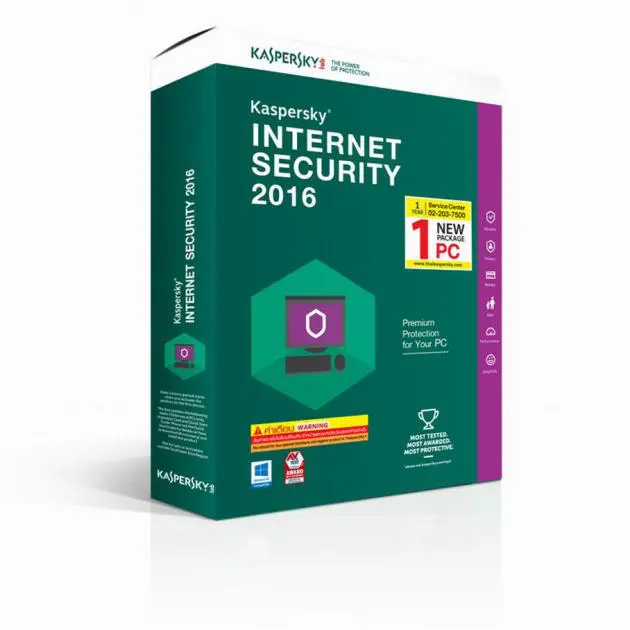
ONE OF THE newest production software releases to hit the market, Kaspersky Internet Security 2016 aims to give you complete peace of mind while browsing the Internet.
The application can protect your computer from computer virus files, spyware, malware and Internet threats. It can also safeguard your privacy and defend your computer against identity theft while you are online.
Internet Security 2016 provides extra security for online banking and shopping and has a parental control function for protecting kids from the dangers posed by the Internet.
The 2016 version comes with several improvements. Among other things, Kaspersky says, the new version’s Anti-Phishing protection, graphic user interface, and the Protected Browser operations have been improved.
The size of the installation package has been reduced to allow for fast download and its interaction with supported browsers has also been improved. The Internet 2016 now uses a single extension, not several plug-ins.
Another nice enhancement is the private browsing function. This new version can protect your computer against unauthorised recording of audio from built-in or external microphones of your desktop or notebook computer.
During the test, I found Kaspersky Internet Security 2016 had good performance and was easy to install.
The application package comes with an installation CD, an installation manual in Thai and English and a scratch card.
The installation was done quickly. During the installation, Kaspersky detected my expired NOD32 anti-virus software and sought my permission to uninstall the NOD32 as it could clash with Internet Security 2016.
After the installation was completed, I needed to activate the application for full functionality. I got a serial number from the scratch card for online registration of the application at www.ThaiKaspersky.com or www.Icom.co.th.
Following the registration, I was given an activation code. The activation complete, the Internet Security 2016 performed a full scan on my notebook compute, finding two possible malware files and deleting them.
Apart from the full scan option, the security application also has options of quick scan, selective scan and external scan. The quick scan was done in less than one minute. This option scans the active memory and major folders, such as the Windows system folder, for possible threats.
The selective scan option lets you scan a particular folder and the external scan option is used for scanning the external hard drive of a USB flash drive.
The main window of Internet Security 2016 displays four main functions – Scan, Update, Safe Money and Parental Control. The application label is green.
The Safe Money function lets you add your online banking websites to the security application’s list. The program will then launch Protected Browser whenever you visit your online banking websites.
The Protected Browser will protect your data as you access bank or payment system websites and prevent malware attacks from hackers designed to steal your online banking passwords.
The Internet Security 2016 also has an On-Screen Keyboard option, allowing you to enter your user name and password on online shopping websites and Internet banking sites without fearing that your data will be intercepted by keyboard logging malware.
The Parental Control function is very useful for parents to control their kids’ computer and Internet usage.
Among other things, it allows parents to restrict computer access during specific hours on weekdays and weekends. Parents can also cut off access every certain number of hours and set the length of a time-out break.
The control can also be used to block certain applications and block access to adult websites as well as block file downloading. Internet restrictions can be set to a certain number of hours for weekdays and weekends.
Another useful application is the restriction of messaging in social networks either by setting lists of allowed contracts or blocked contracts. It also allows you to set a list of keywords that are blocked from usage in messages and web forms.
Under the list of the four main functions on the main screen is a button called Additional Tools, which allows you to access other functions of the Internet Security 2016.
When you click on the Additional Tools button, the program will display a window with graphs of CPU, Memory and Disk usage as well as data to detect possible suspicious activities on your computer.
From this window, you can create a Kaspersky Rescue Disk for fixing your computer in case it has been damaged by virus software. You can also access On-Screen Keyboard and Privacy Protection from this window. The Privacy Cleaner Wizard clears your PC history or recent commands and access files, as well as clearing cookies and other privacy data.
At no time during the test did I feel my computer slowing down. Kaspersky says |its security application works in the background to avoid affecting your |computer performance.
Kaspersky Internet Security 2016 retails for Bt890 for a one-year subscription for one computer. A package for three computers retails for Bt1,780.
Key Specs
System requirement:
- 480 MB free disk space on the hard drive
- CD-/DVD-ROM (for installing from the installation CD)
- Internet access (for the application |installation and activation and for updating databases and software modules)
- Microsoft Internet Explorer 8.0 or later
- Microsoft Windows Installer 3.0 or later
- Microsoft .NET Framework 4 or later
