
This tablet thinks it's a full-blown computer
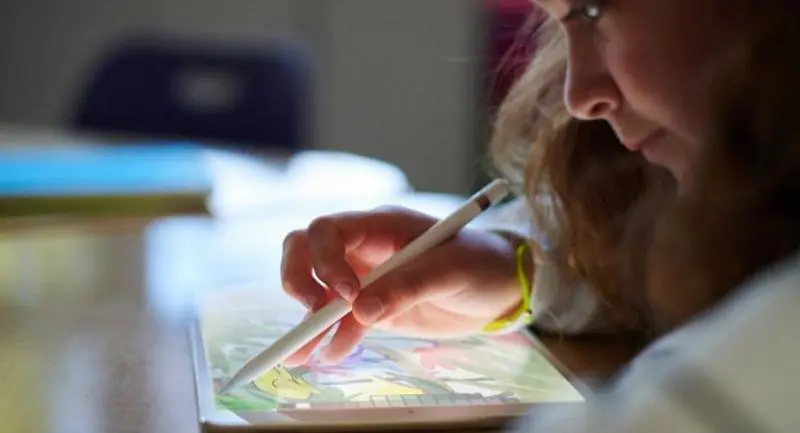


The new iPad is so fast and so powerful you can almost run your office from it
THE APPLE PENCIL has finally found its way to the most affordable and popular-size iPad, making the new 9.7-inch tablet versatile and portable, and a great choice for students, teachers and, yes, office workers and executives too.
Better still, the new 9.7-inch iPad (6th generation) is much more powerful than its predecessor thanks to the inclusion of the A10 Fusion chip.
That chip is a powerful processor, enhancing the performance of the tablet to bring it up to desktop level. Apple says the A10 Fusion Chip delivers up to 40-per-cent faster CPU and 50-per-cent faster graphics performance than the A9 chip in the previous generation iPad. That’s because it’s built on Apple's fourth-generation 64-bit desktop class architecture.

Best of all, the A10 Fusion chip consumes less battery so the new iPad delivers up to 10 hours of battery life.
The extra power means that apps launch more quickly and multitasking is seamless. The new iPad is also ideal platform for advanced games, thanks to the processing power and good graphics delivered by the chip.
The pixel-perfect precision and low-latency Apple Pencil stylus adds a lot of use to the tablet. Designers and illustrators working on iPads will find it indispensable while its versatility makes it very valuable for other users across a wide range of apps and tasks.
And Apple iOS11 now allows Apple Pencil to be used in Notes and Mail so that you can use your own handwriting to write notes and draw sketches in the two apps.
You can now also use the Mark up-Annotation Expert app to quickly and naturally annotate photos, PDFs and screenshots.
The pre-loaded Pages, Numbers and Keynote apps also support the Apple Pencil on iPad. Pages come with Smart Annotation in beta version that allows you to add comments and notations with Apple Pencil that dynamically anchor to your text.
There are currently more than 1.3 million apps on the App Store for iPad and many work with the Apple Pencil. These include Linea Sketch, Pixelmator, Procreate, Adobe Photoshop Fix, Adobe Photoshop Mix and GoodNotes.

With the new powerful iPad, Apple Pencil, iOS 11 and apps that support the stylus, you have the power to handle a workflow that previously would only have been possible on a computer. And the power of A10 Fusion chip allows you to run multiple apps at once.
For example, you can take photos on your iPad, edit them with Pixelmator and Apple Pencil, and then share them in a Keynote presentation. Or your kids can work on their school science project that includes shooting video of the experiment with the built-in camera, capturing the stats in Numbers or Excel. They can even edit the 4K video using iMovie, and collaborate using FaceTime while they finalise their video report.
The new iPad comes with Retina display with 2048x1536 pixel resolution and the display has a fingerprint-resistant oleophobic coating.
The beautiful Retina display with high resolution graphics is good for using with augmented reality (AR) apps that transform how you or your kids work, learn, play and connect with almost everything around you.
The large and immersive display provides an ideal lens to interact with AR apps and the A10 Fusion chip’s fast processing power and powerful graphics engine.
The iPad's eight-megapixel camera joins the virtual objects in AR apps to the real world to create fun experiences.
The tablet also has built-in sensors, including the three-axis gyro, accelerometer and GPS, which help the device to respond quickly and smoothly to your movements. Several AR apps are available on the App Store, including Complete Anatomy and Froggipedia.
I was impressed with the power of the iPad during the test. Its touch screen and menus were very responsive and, as promised, it worked very well with Apple Pencil.
I used the AnTuTu Benchmark v7.0 to measure its performance and the new iPad got a high score of 206,944 points.
Setting up the new iPad for first use was a breeze too. The iOS 11 allows it to take up your Apple ID account settings from your current iPhone or iPad that runs on iOS 11. You simply need to bring the new iPad to your iPhone or iPad that runs on iOS 11 and your current device will ask if you want to use your Apple ID to set up the new device. You will then have to use the camera of the new device to scan the blue animation on the display our current iPhone or iPad and the setup will be done.
I had no problem trying Apple Pencil to draw with Procreate app. I also wrote and drew in the Notes and Pages app fast and smoothly. Most apps and games ran fast and smoothly.
The Retina display of the new iPad is really beautiful for viewing photos and watching HD movies. I watched HD movies streamed from TrueID TV and iflix apps and I was delighted with the picture quality. For example, I watched World Cup 2018 matches with impressive picture quality through the TrueID TV app.
There are both Wi-Fi-only and LTE 4G versions of the new iPad. I had my hands on the LTE version with 128GB of storage. I tried the Internet connection on TrueMove H’s LTE network and the download speed was fast.
I used the Ookla Speedtest app to measure the data connection speed and I found that the new iPad achieved a download speed of 75.1 Mbps and upload speed of 29.3 Mbps.
The new iPad Wifi with 32GB of storage retails for Bt11,500 while the one with 128GB retails for Bt14,900. The new iPad with LTE connection and 32GB storage retails for Bt16,500 and the LTE version with 128 storage retails for Bt19,900. The Apple Pencil has to be bought separately for Bt3,400.
>> OS: iOS 11.4
>> Processor: A10 Fusion chip with 64-bit architecture, Embedded M10 coprocessor
>> Display: 9.7-inch Retina display LED-backlit |Multi-Touch display with IPS technology with 2048-by-1536-pixel resolution
>> Cameras: 8 MP front camera with f/2.4 aperture lens; 1.2MP FaceTime HD camera with f/2.2 lens
>> Connector: Lightning
>> Cellular and Wireless: Wi-Fi (802.11a/b/g/n/ac); dual band (2.4GHz and 5GHz); HT80 with MIMO; Bluetooth 4.2; GSM/HSPA+/LTE
>> Location: Digital compass, Wi-Fi, Assisted GPS and GLONASS, Cellular, |iBeacon microlocation
>> Sensors: Touch ID, |Three-axis gyro, Accelerometer, Barometer, Ambient light sensor
>> Battery: Built-in |32.4-watt-hour rechargeable lithium-polymer battery
>> Dimensions: 240x169.5x7.5mm (HxWxD)
>> Weight: 478 g (for LTE version), 469g (for WiFi version)
>> In the Box: iPad, Lightning to USB Cable, USB Power Adapter
