
A bigger bite of the Apple


Play
There’s very little the new iPhone 6s Plus cannot do
THE NEW iPhone 6s Plus is a powerful smartphone in a sleek, premium body and comes with a new useful user-interface called 3D Touch and an excellent camera.
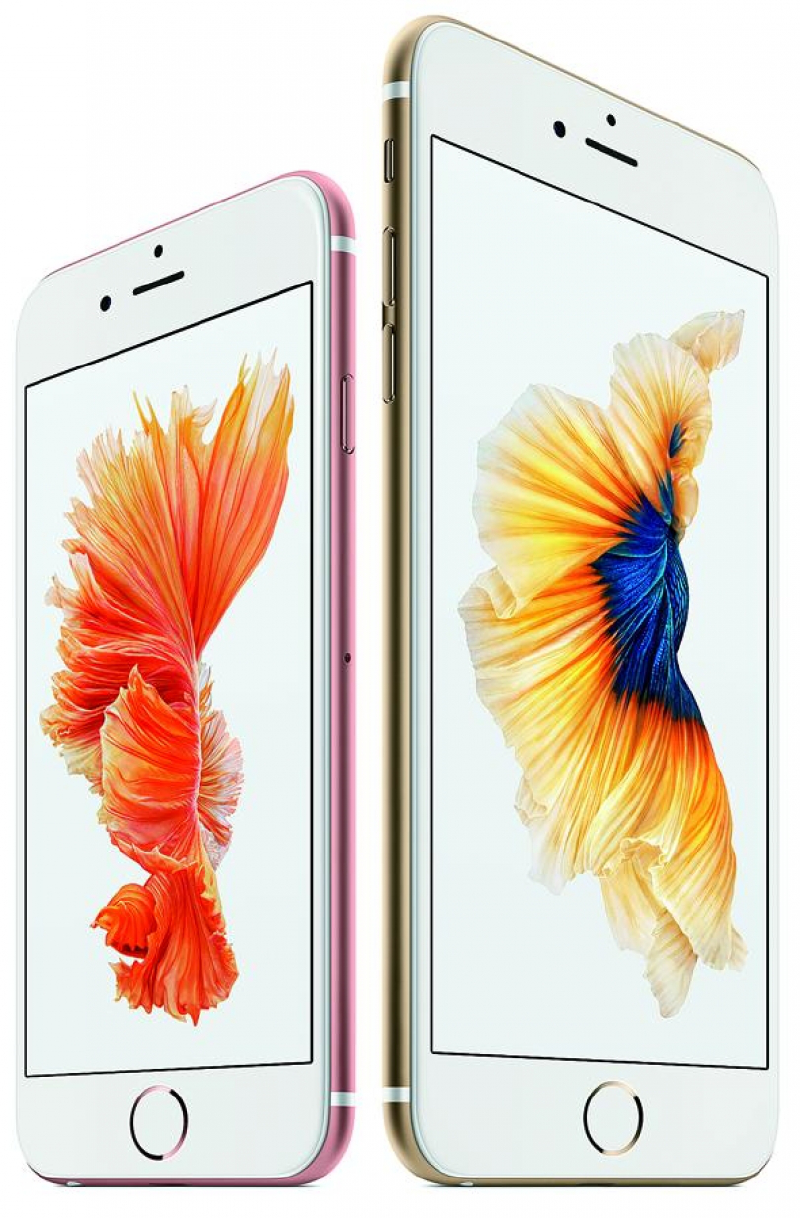
The phone sent for review was in the new and very attractive Rose Gold colour but it’s also available in silver, space grey and with a gold finish. It has a strong build with the casing made of an alloy developed from 7000 Series aluminium, the same grade used in the aerospace industry.
The iPhone 6s Plus is really powerful. It is powered by Apple’s custom-designed A9 chip – the third-generation chip with 64-bit desktop-class architecture – which is 70 per cent faster than A8 chip. The A9 chip also delivers 90-per-cent faster GPU performance and is capable of console-class gaming.
The 6s Plus runs on Apple’s iOS 9.1, which Apple says is more intelligent and proactive with powerful search and improved Siri features. Among other things, the Proactive assistance suggests apps to launch and people to contact based on your usage patterns. And Siri also detects road traffic conditions and prompts you when to leave in order to reach your destination on time.
Siri has been improved to find your personal photos and videos more easily with voice commands based on dates, locations and album names.
The model sent for testing had 128 gigabytes internal storage. Other storage configurations include 16 GB and 64 GB. The larger memory is recommended for those who are constantly recording video clips.
The test model’s touch screen and menus were very responsive with swiping and scrolling fast and smooth. All applications ran smoothly and fast. Graphics-extensive games, such as Traffic Racing Rivals: Real Endless Road Car Racer, roared during the test.
The 6s Plus supports up to 32 LTE bands of 4G connection. I tested its wireless data connection on TrueMove H’s LTE network and I found that the 6s Plus had very fast data connection.
During the test, I found that apps were downloaded and installed very fast. My snapshots were posted on my Facebook wall in a snap and pictures taken with the 6s Plus were backed up to my Microsoft OneDrive cloud storage in no time.
I used Ookla speedtest app to measure the data connection speed and found that iPhone 6s Plus achieved a download speed of 53.91 Mbps and upload speed of 21.23 Mbps.
The A9 chip is embedded with the M9 motion coprocessor so it works well with fitness apps like Apple’s own Health and Nike+ in keeping track of your activities. The motion coprocessor offloads tasks from the A9 and connects to the advanced sensors on the 6s Plus so you can use the iPhone to measure your running or walking, for example.
The iPhone 6s Plus has a beautiful 5.5-inch Retina HD display with 3D Touch technology and a 1080x1920-pixel resolution that’s excellent for viewing photos and watching HD video clips.
The 3D touch user interface makes using the iPhone 6s Plus more convenient, especially with apps that require a quick response, such as Messages.
The technology senses how deeply you press the display and provides the relevant interface.
The Retina HD display with 3D Touch works with capacitive pressure sensors and Taptic Engine to make 3D Touch technology effective and intuitive. Apple explains that the Retina HD display with 3D Touch “is placed under the cover glass and is on top of the capacity pressure sensors, which are placed over the Taptic Engine.
“When the display is pressed, the capacitive sensors measure microscopic changes in the distance between the cover glass and the backlight.”
The iOS uses these measurements to provide fast, accurate and continuous response to finger pressure. Several apps have been designed to make use of this 3D Touch technology to allow you to peek into certain content or pop up the content. The all-new Taptic Engine provides responsive feedback in the form of subtle taps. That is, you feel a mini tap when you peek into the content and when you pop up the content fully, you’ll feel a full tap.
Several native apps of the iOS 9.1, including Mail and Messages, support the 3D Touch functions. Apple says other developers are now in the process of enhancing their apps to support 3D touch user interface, among them Instagram, Pinterest, Sky Guide, Dropbox and Facebook.
Basically, the 3D Touch lets you peek into the relevant information, like a new mail or a new SMS message, without having to leave what you are doing to open the mail or message. You can further “pop” or open the mail or message after peeking by applying more pressure to the screen.
Adding to the convenience, you can quickly respond to the sender of the SMS message with a predefined text. For example, when you peek into a message by touching with a little pressure, you can slide up the peeked window and reply with contextual responses, like “thanks”, “okay” or “yes”.
And when you peek into an email in list view, you can slide up to reply, forward, mark as read, notify me, or move the mail.
These functions are called Quick Actions and they are very convenient.
When you view the list of emails, you can press a mail lightly to peek the content. The content of the email appears on top of your inbox. If the mail is short, you can read it and simply stop pressing to return to the inbox. If you want to read more the content, you can press a little deeper to “Pop” into the message for a full view.
And when someone sends you a link to a website, you can peek at it without leaving the screen you are on by pressing the link lightly and the top of the page will appear. When you stop pressing it, you are back in your message. If you press deeper on the link, you will pop into the page.
Moreover, when someone sends an address to you, you can peek at it on a map without leaving the screen you are on. You simply press lightly on the link and the location will appear at the top of the screen. If you want more details, you can press a little deeper to pop into a full map.
Apps that support Quick Actions are numerous and include Messages, Calendar, Camera, Photos, Clock, Maps, Wallet, Notes, Phone, Safari, Mail, Music, FaceTime, Contacts and Voice Memos.
Press the Camera icon on the Home screen, for example, and Quick Actions will pop up a menu screen, allowing you to select to snap a selfie, shoot a video, take a normal photo or shoot a slow motion video.
Likewise, when you press the Maps icon on the Home screen, you can choose to instantly get directions, or drop a pin on your current location, send your current location to your friend or see what’s nearby.
The iPhone 6s Plus comes with a good quality iSight camera with 12-megapixel resolution and a 5 MP-front-facing FaceTime camera. The iSight camera has optical image stabilisation and it uses a new image signal processor and advanced pixel technology to improve local tone mapping. The 6s Plus has better noise reduction too even in low-light conditions.
I found during the test that 6s Plus captured sharp and clean shots even at night. I captured scenes of traffic congestion after dark and was impressed by the clean and sharp shots that clearly showed the street lamps and taillights. Indoor shots were also sharp and clean and the high-resolution panorama mode allowed me to take beautiful panoramas of up to 63 MP per shot.
The 6s Plus’s iSight camera also comes with Live Photos mode. In this mode, the camera not only captures a 12-MP photo, but also shoots video of the moments just before and after the photo is taken complete with sound. When you review the photos, the short clips are played both before and after the stills.
Live Photos can be shared with other iOS users and users of Mac computers that run on OS X El Capitan. You can share Live Photos via iMessage, iCould Photo Sharing and Airdrop. You can also use a Live Photo as your Lock Screen wallpaper.
The iSight camera captures 4K video as well as slow- motion video in 1080p at 120 frames per second and 720p video at 240 fps.
After shooting a 4K clip, you can use the new iMovie app to edit the clip and share it via your YouTube account at 4K resolution. You can also edit two 4K clips to create a picture-in-picture effect on the iPhone 6s Plus.
Another nice feature is the Touch ID function that lets you scan your fingerprint on the home button to unlock the phone. The Touch ID can also be used for purchases from iTune Store, iBooks Store and App Store.
Music quality is good too. I tried playing high-resolution songs in uncompressed WAV format via Sony’s MDR-100AAP headphones and was impressed by the clarity and powerful bass.
Apple’s iPhone 6s Plus has a starting price of Bt30,500 depending on the storage capacity. A case made from premium, hand-selected European tanned leather comes in midnight blue, saddle brown, rose grey, brown and black and starts at Bt1,500.
KEY SPECS
OS: iOS 9.1
Networks: LTE: (Bands 1, 2, 3, 4, 5, 7, 8, 12, 13, 17, 18, 19, 20, 25, 26, 27, 28, 29, 30), UMTS/HSPA+/DC-HSDPA (850, 900, 1700/2100, 1900, 2100 MHz), GSM/EDGE (850, 900, 1800, 1900 MHz)
Chip: A9 chip with 64-bit architecture, embedded M9 motion coprocessor
Display: 5.5-inch Retina HD display with 3D Touch, 1920-by-1080-pixel resolution at 401 ppi, 1300:1 contrast ratio
Cameras: 12-megapixel iSight camera with 1.22um pixels and BSI sensor, f/2.2 lens, 5-megapixel FaceTime HD camera with BSI sensor, f/2.2 lens
Memory: 2GB
Storage: 16GB, 64GB or 128GB
Sensors: Touch ID fingerprint sensor, Barometer, Three-axis gyro, Accelerometer, Proximity sensor, Ambient light sensor
Sim card: Nano SIM
Battery: 2,750 mAh
Dimension: 158.2x77.9x7.3mm
Weight: 192g
