
In control, home and away
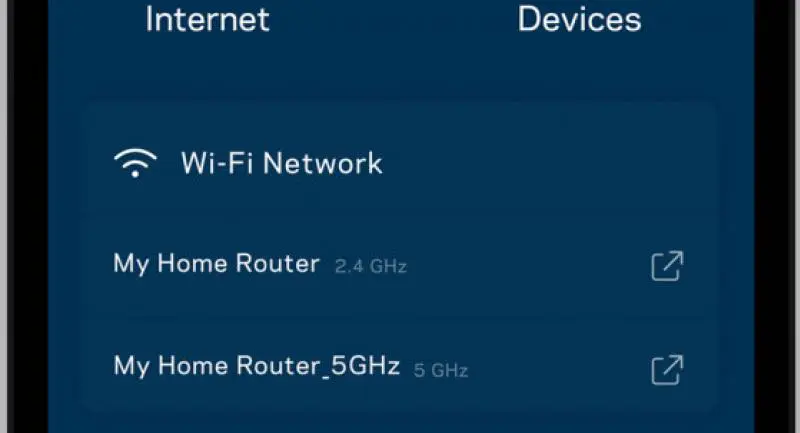


An updated version of app allows you to check and control networks remotely
LINKSYS SMART WI-FI app has been updated and redesigned to provide a more intuitive layout with simple-to-navigate options.
Linksys is a leading provider of networking solutions for home and business and it has sold more than 100 million routers globally.
The new app allows Linksys Smart Wi-Fi users to easily monitor, manage and control their home networks both at home and away.
The Smart Wi-Fi app Version 2 is available for iOS and Android smartphones and tablets. I tested it on an Android smartphone connected to the Linksys Max-Stream AC2600 MU-MIMO Gigabit Router (EA8500) and found it very convenient. Designed to manage users and data traffic, the app supports 22 Linksys routers in the Max-Stream, WRT, EA Series and XA Series gateways including the Max-Stream EA9500, WRT1900ACS, EA Series EA9200 and XAC1900.
To use the app, you need to register for an account with Linksys Smart Wi-Fi network. You then register your Linksys router to your account before you can use the app to manage it, no matter where you happen to be.
The app has been completely updated and redesigned, providing a simple utility such as looking up and sharing the wireless credentials for up to 50 guests with a few taps on a mobile device.
You can also use the app to change bandwidth prioritisation quickly and easily. This feature allows you to decide which three family members get priority with their wireless bandwidth. For example, you can set your smart TV, a home office PC and a family tablet to have bandwidth priority one day, and then another day, you can give the priority to another family member’s smart phone, your own tablet and the X-Box. You can easily change the products that get the priority of bandwidth, while still allowing others to connect to the wireless network.
Another useful feature is that the app shows how much hard drive space has been used and how much is still available on external hard drives connected to the router.
Parents will be happy with the app's Parental Controls function. It enables parents to shut off Wi-Fi devices while at home or away, and also enables them to block websites on individual devices. These parental control features will help to make sure children are using the internet appropriately, as well as providing parents with peace of mind that there is also an ample amount of homework time without the distractions the internet.
The new app also allows you to share the network name and password to access your network with a family member or guest with just a few taps on your smartphone.
The main dashboard of the app provides an immediate glimpse into the current status of the home network. It shows the current connection to the internet and the number of connected devices, as well as quick access to the wireless password and options to reset it or share it.
You can also use the app to change advanced settings, such as settings of Single Port Forwarding, Port Range Forwarding, Port Range Triggering and MAC Filtering.
Linksys Smart Wi-Fi app is available for free download from iTunes App Store and Google Play Store.
MINIMUM REQUIREMENTS
- OS: iOS8x and above, Android 4.0.3 and above
- Availability: Apple App Store, Google Play, Amazon App Store
- Models supported: EA9500, EA8500, EA7500, EA7400, WRT1900ACS, WRT1900AC, WRT1200AC, EA9200, EA6900, EA6700, EA6500, EA6400, EA6350, EA6300, EA6200, EA6100, EA4500, EA3500, EA2750, EA2700, XAC1900 and XAC1200
