
Shaking it up with WeChat


Play
A new app will have you texting, sharing photos and more all around the clock without costing a single baht
A user-friendly and free smart phone app that allows you to have fun exchanging text and voice messages as well as cool emoticons and photos with friends, WeChat is available for iPhone, Android, Windows and Symbian OS platforms.
Developed by Chinese technology giant Tencent, WeChat can work on either a 3G or Wi-Fi connection.
I tested it on Motorola RAZR MAXX, which runs on Android 4 OS and found that the app was really fun to use.
You can link your WeChat account to your Facebook account to find and invite friends to become your WeChat pals.
Like other smart phone-based chat applications, the first time you use WeChat, you are required to input your mobile phone number for the WeChat server to verify. Once that’s done, you can start playing with the features.
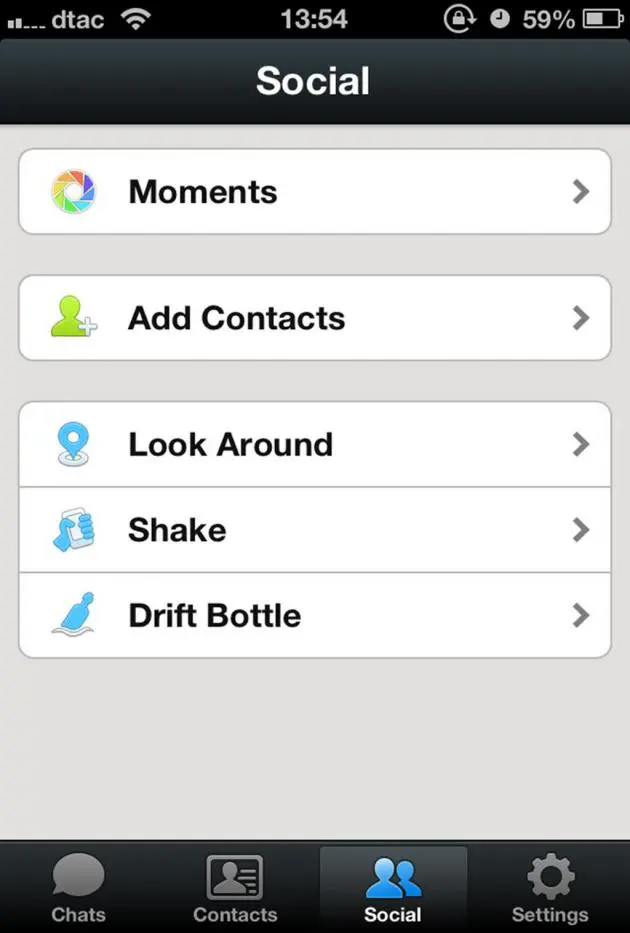
You can add WeChat friends simply by shaking your phone. You and a friend can either bump your phones or shake your phones together to add each other as WeChat friends.
Or shake your phone to find WeChat friends who are also shaking their phones at the same time and whose movements have been registered on the WeChat server.
The app also has a function called Look Around. This allows you to see a list of other WeChat users, who are near you so that you can request them to become your WeChat friends. The list is arranged in terms of shortest distance to you and even reports how far each Wechat user is away from you.
You can invite your friends to add you on WeChat by creating a QR (Quick Response) code and posting your QR code on your Facebook wall.
Then, your friends can use WeChat on their smart phones to scan your QR code and instantly add you to their WeChat contact list.
You can send several types of messages to your WeChat friends. A useful function is to broadcast your messages to several friends at once.
There is also a Group Chat function so that you can socialise with several WeChat friends at once.
When you start the Group Chat function, you can select which WeChat friends on your contact list will be invited to join the Group Chat.
Apart from chatting in text with friends, you can also send voice messages. Simply press and hold the “Hold to Talk” button for the duration of your voice message. When you have done speaking, release the button to send the voice message and your friend can click on the message to hear it.
If you change your mind during the recording process, continuing to press your finger on the button then move it upwards and release it on the “X” mark on the screen.
A fun feature of WeChat is to send funny emoticons to your friends. There are four groups of fun emoticons that can be selected to use and each group is further divided into sub-groups.
The emoticons include a funny cartoon character that shows love, dance, hug or kiss.
You can also use the WeChat to send photos too. During the test using a Wi-Fi connection, I found that a 8-megapixel photo could be sent very fast.
You can also send a video clip, contacts and your current location to your friend while chatting.
Key facts
_ OS: iOS (App Store), Android (Play Store), Windows Phone, Symbian OS (S60V3, S60V5/Symbian 3)
_ Connection required: 3G or Wi-Fi
_ Mobile phone number verification: required
_ Service App: Free of charge
