
CIB warns consumers against giving permission to suspicious apps, browser extensions
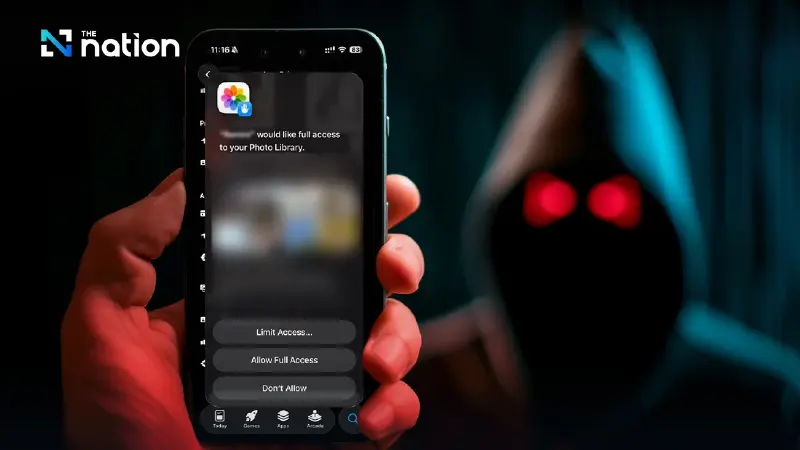


CIB warns users to beware of suspicious apps and browser extensions that may hide malware, steal data, and enable scammers to control smartphones remotely.
Warning on risky app permissions
The Central Investigation Bureau (CIB) on Tuesday warned consumers to be cautious when granting access permissions to smartphone apps and browser extensions, as they could contain malware designed to steal crucial personal information.
In the worst-case scenario, such permissions could allow malware to take control of smartphones, enabling scammers to remotely access the devices and steal money from bank accounts, the CIB said.
Dangerous apps and disguised malware
The bureau announced on its website that many malicious apps seek excessive permissions beyond what is necessary, thereby compromising users’ personal data and financial security.
According to the CIB, malware may disguise itself as photo-editing tools, games, or fortune-telling apps.
Similarly, malicious browser extensions may pose as AI tools for summarising web pages or video content, or as personal assistant AIs for scheduling tasks.
How scammers exploit permissions
The CIB said malware apps and extensions trick users into granting access to cameras, microphones, contact lists, photo galleries, and even settings that allow changes to data or passwords.
Such access could enable scammers to steal personal information, capture passwords, secretly record voices and videos, and even remotely control devices to make unauthorised financial transactions.
Precautions before granting permissions
The CIB advised users to take the following steps:
- Read before granting permission: Carefully check what apps or extensions request access to.
- Check necessity: Consider whether the app truly needs the requested function. (For example, a calculator app does not need access to the camera or passwords.)
- Avoid unnecessary permissions: Only grant access essential for the app’s function.
- Review permissions regularly: Check the settings menu and revoke access for suspicious apps.
How to check and manage permissions
Android smartphones
- Go to Settings → Apps → Permission manager.
- Review permission types (e.g., camera). If suspicious apps appear, select Don’t allow.
iOS (iPhone)
- Go to Settings → Privacy & Security.
- Review categories such as contacts, camera, and microphone. Tap each to see which apps have access, and turn off access for suspicious ones.
Chrome and Firefox extensions
- Click the jigsaw icon (Extensions) at the top right.
- Select Manage Extensions.
- Review which permissions are granted. Remove suspicious extensions.
