
Your own personal cloud


And the one created by the DS418j server from Synology will follow you everywhere
Synology’s DS418j is a four-bay NAS server with which you can easily create your private cloud storage.
It’s like having a computer to which you can attach up to four internal hard disks – either 2.5 or 3.5inch – ending up with as many as 40 extra terabytes of storage. (That’s if you use four 10TB hard drives, of course.)
The server will also help you manage, protect and share your data conveniently, but there’s much more to it.
Among other features, the Synology NAS can stream video content to a smart TV and music to WiFi players. It can become your centralised backup storage for any and all home computers.
A Realtek RTD1293 dualcore 64bit processor running at 1.4GHz provides the power and 1GB of DDR4 RAM provides the operating memory.
The four drive bays are ready for a 3.5-inch SATA hard drive, a 2.5-inch SATA HDD and a 2.5-inch SSD (solid state drive).
And all of this is fairly compact. The DS418j measures 184x168x230mm, so it sits comfortably on your desk or beside your home router. It only weighs 2.21 kilograms.
Performancewise, it’s pretty amazing, reading encrypted data at better than 112MB/s and encrypted-writing 87 MB/s. Eco-friendly, it consumes a mere 21.22 watts while in use and 8.97 in HDD hibernation.
It’s really easy to set up. I simply undid the four screws by hand at the back to remove the cover. There you see the four plastic drive racks, ready for hard drives to be mounted using a screwdriver and the provided screws. Then you just push the racks back in place and reattach the cover.
Now you need to install DiskStation Manager 6.1 software, for which you need a LAN cable. Hook it up, turn the server on, and you see a network drive displayed on your Windows Explorer.
Click that for the prompt to download and install DiskStation Manager.
Be warned that you must use a blank drive during installation, because the software will reformat your drive and erase all existing data.
After installation, another prompt appears to register for an account with Synology via email. You need that to get a server name with QuickConnect service. (I chose “PaisalDrive”.)
With the server name and QuickConnect service, you can access your content on the DS418j from any Web browser. Just type http://quick¬connect.to/PaisalDrive.
During installation you’ll see another prompt to create a username and password for accessing content on the drives inside the DS418j, including remotely.
Now you’ve got your own private cloud following you around everywhere. No more hassles setting up port-forwarding rules, DDNs or other complicated network settings.
The DiskStation Manager-enabled functions of the DS418j can be expanded with various utilities available for download.
You can, for example, easily share the storage space with family, friends or colleagues, creating a user-account for each person. They can access and share anything that’s not designated as private and kept in a personal folder.
The DSM browser-based user interface allows you to easily organise and share everything in File Station mode. Files are moved and uploaded with a simple drag-and-drop.
In File Station, you can create file links and file requests to share large files in storage. File Station also allows for full content search in case you forget a particular file’s name. In Document Viewer you can look at files without having to download and open them in Microsoft Office or iWork.
Best of all, File Station can connect to your public cloud accounts, such as Dropbox and Google Drive, to check on files or move them over to your NAS.
Download Station allows you to pull files off the Internet through several different protocols – BT, FTP, HTTP, NZB, Thunder, FlashGet, QQDL and eMule. It can also search for torrents directly, so you can download large files without having to keep your desktop or notebook computer running.
For a home user like me, the fun of the DS418j is Video Station on the Synology DSM. Video Station is a powerful app for storing and organising movies, TV shows, home video and RV recordings. And all of this can be streamed to your computer, phone, tablet or TV set.
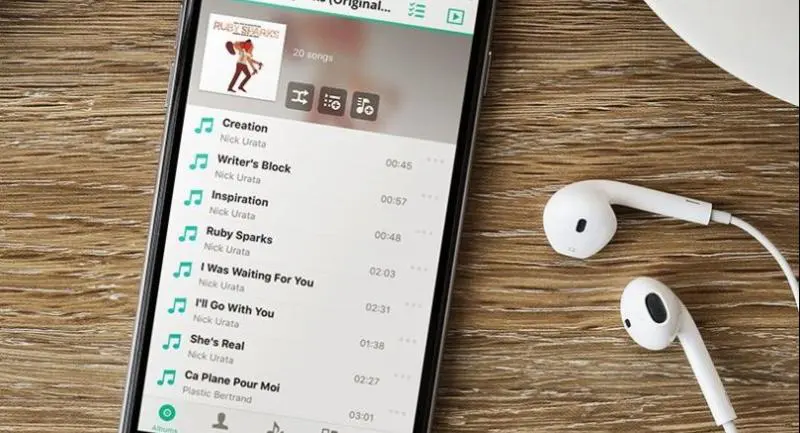
Then there’s Audio Station for building a personal music centre and streaming your favourite tunes from the DS418j with your computer, phone, DLNA, AirPlay device or Apple Watch.
Photo Station lets you share pictures with everyone as well keeping them all in one central location.
Once the DSM 6.1 is installed, you see folders for storing video, photos and audio files for these stations to stream.
Then you use Synology mobile apps to access the content on your DS418j. There are apps for iOS, Android and Windows phones – DS video, DS audio, DS photo and DS cloud.
DS video supports Apple TV, Android TV, DLNA TVs, Chromecast, Samsung TVs and the Roku player. Use this to watch videos on the NAS or stream them to your TV set. DS photo also supports Apple TV and Android TV.
I found I could quickly and easily transfer files from my notebook computer to the DS418j using File Station. DS video and DS photos streamed content from the DS418j via Apple TV without a problem and the video played smoothly and the photos were displayed instantly.
The DS418j comes with two USB 3.0 ports and the Synology DSM 6.1 has USB Copy 2.0 app that allows you to control which folders and where the files are transferred.
Surveillance Station lets the DS418j be used as storage for your security camera recordings. It’s compatible with more than 5,200 different IP cameras.
You can watch live feeds, play back recordings, receive instant alarms and manage camera settings.
Synology DS418j has a suggested retail price of Bt10,920.
KEY SPECS
- CPU: Realtek RTD1293 64bit dualcore 1.4GHz
- Memory: 1GB DDR4
- Drive bays: Four compatible with 3.5-inch, 2.5-inch drives with 40TB maximum capacity
- External ports: One LAN (1GbE) port, two USB 3.0 ports
- File system: Internal drive – EXT4, external drives – EXT4, EXT3, FAT, NTFS, HFS+, exFAT
- Supported RAI type: Synology Hybrid RAID, Basic, JBOD, RAID 0, RAID 1, RAID 5, RAID 6, RAID 10
- File-sharing capacity: Maximum local user accounts 1,024
- System fans: Two, each 80x80mm
- Dimensions: 184x168x230mm
- Weight without hard drives: 2.21kg
