
Berry on the run


Play
An update to the operating system of the PlayBook makes connecting with your BlackBerry a piece of cake
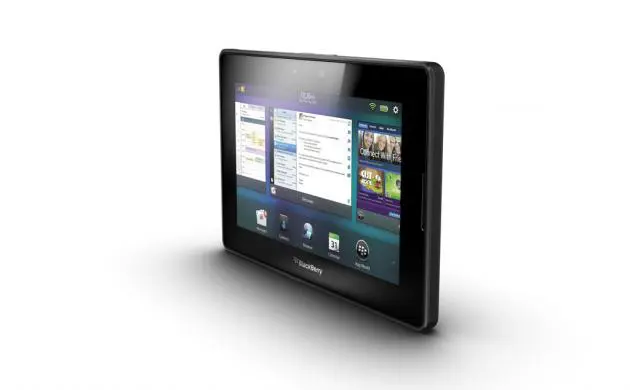
Research in Motion has updated its operating system for its PlayBook tablet computer to the PlayBook OS 2.0
The new OS initially introduced a range of new communications and productivity enhancements. Now it provides a panel of the five most-used applications to provide easier access to Messages, Contacts, Browser, Calendar, and AppWorld. The panel will remain on the screen all the time.
The new OS also expands applications and content for the PlayBook and updates the BlackBerry Bridge app, which links and integrates your BlackBerry PlayBook to your BlackBerry phone using Bluetooth connection. Since PlayBook itself does not have 3G connection, you will need the 3G connection of your BlackBerry smart phone to link your PlayBook to Internet wherever a Wi-Fi connection is not available.
During the test, I found that the BlackBerry Bridge app on the PlayBook and BlackBerry Bold 9360 linked to each other faster and more easily than before. Even better, after that initial connection, the two devices are automatically connected whenever they are turned on.
But easier connection is not the only improvement. The new BlackBerry Bridge also allows you to use your BlackBerry phone as a remote control to pause or play a video once your PlayBook is plugged into a Plasma or LCD TV using HDMI connection. This is very useful if you want to make a presentation from your PlayBook.
If you are used to typing with QWERTY keyboard, you can use your smart phone keyboard to type a document or email on the PlayBook.
And now, the BlackBerry Bridge 2 provides the function “Open on PlayBook” for you to send files from your phone to the PlayBook for optimal viewing or editing, which is very handy.
As part of improved mobility of the new OS, you can easily send a document from your laptop or desktop computer to be read or edited on your PlayBook, using the “Print To Go” function.
First, though, you must visit Blackberry.com/PrintToGoWindowsDownload to download the Print To Go printing driver to your computer. Then, when you order a document to be printed, you will need to select the “Print To Go” from the printer list. You will then be required to log on to BlackBerry server, using your PlayBook ID and password and the document will be sent to the server and passed on wirelessly to the PlayBook.
The new OS also integrates all your email accounts and the messaging functions of popular social networking sites, such as Twitter, Facebook and LinkedIn, into one unified inbox.
With the new OS, calendar and contacts applications are integrated with your social networking accounts.
The new contacts application serves as a hub of your social networking accounts. It merges information from multiple sources, including emails and social networks, into one contact file for each person in the address book.
The new calendar application allows you to view your calendar and automatically integrates it with the calendars and contacts of your social networking sites.
The PlayBook OS 2.0 web browser also provides a new reading view. Just tap on the book icon of the web page and it zooms it to the main page without sidebar links or page clutters. This allows you to read the web page in a similar format to an e-book.
The BlackBerry PlayBook OS 2.0 update available as a free download for BlackBerry PlayBook tablets.
BlackBerry PlayBook tablet retails for Bt9,900 for 16 GB storage model, Bt13,900 for 32 GB model and Bt16,900 for 64 GB model.
