
Enable Cell Broadcast now to receive real-time emergency warnings: DDPM
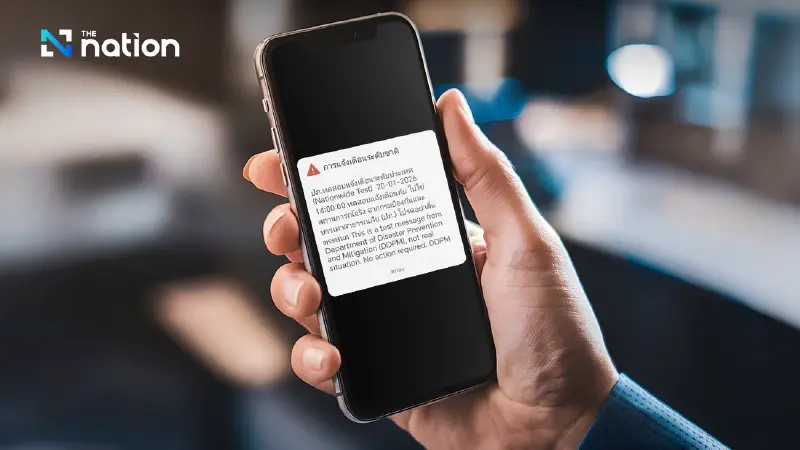


DDPM said the Cell Broadcast system can deliver government emergency alerts straight to 4G/5G phones, no app, registration or internet required, on both iOS and Android.
- The Department of Disaster Prevention and Mitigation (DDPM) is advising the public to enable the Cell Broadcast system to receive real-time emergency warnings.
- The system sends alerts for disasters and public safety threats directly to mobile phones in at-risk areas, without needing an internet connection or registration.
- It is compatible with 4G and 5G phones running iOS version 18 or later and Android version 11 or later.
- Users can activate the feature in their phone's settings under "Notifications" on iOS or "Safety and Emergency" on Android.
The Department of Disaster Prevention and Mitigation (DDPM) has advised on Tuesday (January 20) the public to enable the Cell Broadcast alert system to receive real-time emergency warnings from the government via 4G and 5G mobile phones, covering both iOS and Android users.
The settings can be enabled in just a few steps, helping improve safety and timely emergency response.

What is Cell Broadcast?
Cell Broadcast is a system that sends emergency alert messages directly to mobile phones in at-risk areas.
No registration is required, no internet connection is needed, and it does not require phone numbers.
It is suitable for emergencies such as disasters, violent incidents, or situations that affect public safety.
Compatible phone requirements
- 4G and 5G mobile phones
- iOS version 18 or later
- Android version 11 or later
How to enable Cell Broadcast alerts on iPhone (iOS)
- Go to Settings
- Select Notifications
- Scroll to the very bottom
- Enable Amber Alerts and Emergency Alerts (or TH-ALERT, if available)
How to enable Cell Broadcast alerts on Android
- Go to Settings
- Select Safety and Emergency
- Select Alerts
- Turn on Allow alerts
- Enable alerts for all menus
DDPM stressed that it is better to keep the alerts enabled to avoid missing emergency information.
