
When monsters become mobile


Play
Smash-hit Ragnarok Online morphs from PC to smartphone
One of the most popular games among Thais, Ragnarok Online has been given a new lease on life and returns, this time to smartphones, as the online massive multiplayer game – Rangnarok Online Mobile.
Asiasoft Corporation officially launched Ragnarok Online Mobile last month, providing software that allows the game to be downloaded from the Apple App Store and Google Play.
Asiasoft says the mobile version has been a great success already, with 500,000 copies of the client software downloaded from Apple and Google stores in the first three weeks alone.
Ragnarok Online Mobile was unofficially launched at the PlayPark Fan Festival in October. The client has now been upgraded to version 1.0.5 to improve certain features and squash bugs. The latest version also has a better login system, smoother compatibility with mobile devices and improved connection to prevent players from dropping offline.
Asiasoft CEO Pramoth Sudjitporn says the launch of mobile version allows Ragnarok fans to play the game on the go.
“We are proud to launch our first mobile title Ragnarok Mobile in the Thai market. Asiasoft has been serving the PC version of Ragnarok Online since 2003 and the franchise has a huge following in Thailand. The launch of Ragnarok Mobile here is in line with Asiasoft's strategy to enter the mobile market, as well as to cater to the existing Ragnarok fans in Thailand,” Pramoth said.
Despite the improvement in connection issues, I still sometimes found it hard to log on and often got kicked out of the system, especially at night.
Asiasoft provides four servers to cater to the mobile players and each server has five channels for playing. You can have four characters on each server.
I tested it on my Motorola RAZR MAXX with a four-inch screen. If you have problem with your eyesight, you should use a larger screen mobile phone.
The game is played in horizontal screen format, which allows you to use your left thumb to control the movement and direction of your character and the right thumb to push an on-screen button to tell your character to engage with the NPCs (non-playable characters) and monsters.
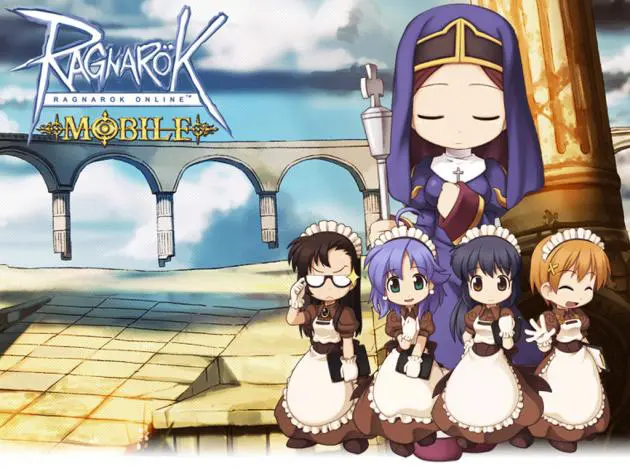
Ragnarok Online Mobile has beautiful graphics and cute characters. The characters’ movements are fluid, the background music is captivating and the sound effects are fun. The mobile motion has been adapted and streamlined from the original PC version to make it much easier to play and control the characters.
The PC version is much more difficult to play, requiring you to master complicated control functions by pressing various keys. But the mobile version is played by simply tapping on the touch screen. For example, you simply tap on a location for your character to walk to or tap on a monster that you want to attack and then tap the engaging button with the right thumb. Another easy way to navigate is to open up the map of the field or city you are in and the tap the location of the map. Your character will walk to that location automatically.
In the mobile version, when you want to use a skill, you can tap the skill from a customisable slide-out and panel.
The PC has many types and classes of characters. Players have to begin with a novice and complete a quest to change the character’s class to the first job class. The PC version has six first-job characters but the mobile version has only four.
In Ragnarok Mobile, you don’t have to begin as a novice, but start playing from one of the four first jobs right away. The four jobs are swordsman, magician, thief and acolyte.
As in the PC version, the aim is to go out to kill monsters to earn experience points and job points. When you’ve earned a certain number of experience points, your character will be upgraded to the next level with status points that can be added to your character’s status to increase its performance in making physical or magical attacks as well as in dodging attacks from monsters.
The mobile version has five status levels that you can increase, namely strength, agility, vitality, intelligence and spirit.
And when your character earns a certain level of job points, the job level also increases to the next level with one skill point for increasing your skill, such as for increasing the fire bolt attack level for your magician character.
Like in the PC version, your character starts with fighting low-level monsters, especially the cute sponge-like bouncing pink Poring monsters. When your character is upgraded in status and fighting skills, it can move to other maps to kill high-level monsters.
You can play by logging on with your Facebook ID or you can register for a game ID at https://secure2.playpark.com/register/Register.aspx or www.PlayPark.com.
Ragnarok Online Mobile is developed by Neocyon and licensed, localised and published by Asiasoft in Thailand.
Asiasoft lets you play the game for free.
But you can purchase Ruby units with your credit card so that you can enhance capabilities of the game’s characters.
To buy Ruby, you must tie your credit card number to your Apple ID or Google Account first.
Play the game
What you need to play:
_ An Android-based smartphone or an iOS smartphone or tablet.
_ To buy Ruby for purchasing game items, you must assign your credit card number to your Google or Apple account.
_ Internet connection – either 3G or Wi-Fi connection.
