
META launches new Facebook feature to help flood victims in Songkhla and Satun
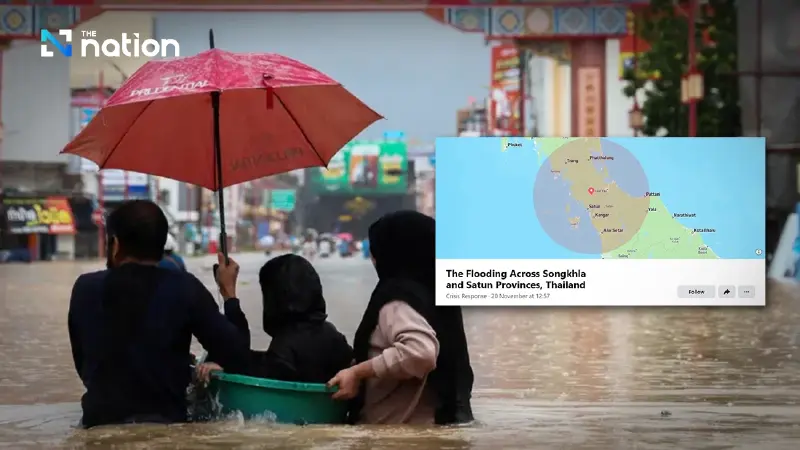


META introduces the Safety Check and Crisis Response features on Facebook to assist flood victims in Songkhla and Satun, allowing users to request and offer help
• META activates new disaster response feature on Facebook, launching Safety Check and Crisis Response to assist with flooding in Songkhla and Satun.
• Users in affected areas can click “Mark yourself safe” or check their friends’ status easily.
• Users can search for help or offer assistance via the "Request or offer help" tab on the crisis page.
In response to the ongoing flooding crisis in the southern provinces, META, the provider of the Facebook platform, has officially launched the Safety Check feature and the Crisis Response page to support affected communities.
These features are designed to serve as a central hub for information, connecting communities and facilitating aid efforts for flood victims in Songkhla and Satun.
How flood victims in Songkhla and Satun can request help on Facebook
The system is specifically designed to assist during disaster events. Users in affected areas, where flooding has been detected, will receive alerts to mark their safety status:
- Marking yourself safe: Users can click "Mark yourself safe", which automatically sends notifications to their friends and family on Facebook to reduce concerns and confirm their safety.
- Checking other people's status: Users can also check the safety status of friends in affected areas through this feature.
How to request emergency help on Facebook
General users and those seeking to check information can access the feature with the following steps:
- Go to the Crisis Response page on Facebook and select the related disaster event, or access directly via the link: Facebook Crisis Response.
- Click on Safety Check in the disaster and crisis event page.
- The system will display information under Friends in the area, including:
- A list of friends who have marked themselves safe.
- A list of friends who have not yet marked themselves safe.
- A search function to look up specific friends’ statuses (only available for people in your Facebook friend list).
- If you want to inquire about a friend’s status, click “Ask if safe” next to their name to send them a request to confirm their safety.
Request or offer help: how the new feature connects users
In addition to confirming safety, the Crisis Response page for the Songkhla and Satun floods also allows users to access the Request or offer help feature via the Home tab.
This feature enables flood victims to post requests for essential assistance, while allowing nearby users who wish to help to track the situation and coordinate timely aid.
With the implementation of this technology, it is expected that information sharing and aid distribution in affected crisis areas will be significantly more effective.
